
Via Browser
Screenshots
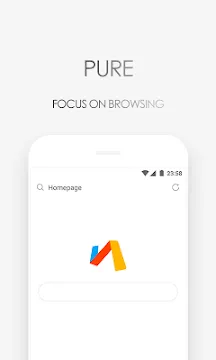
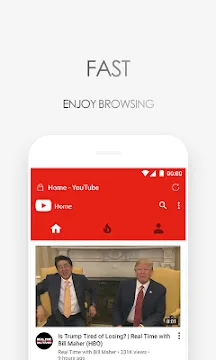
Via Browser is a minimalist web browser designed for users who value speed and simplicity. In an era where mobile apps often consume gigabytes of storage, this tool takes a different path. It offers a tiny installation size without sacrificing essential features. Most people want a browsing experience that feels light and responsive. This app delivers exactly that by stripping away the unnecessary clutter found in mainstream alternatives.
Why Via Browser is the Ultimate Lightweight Choice
Modern smartphones often struggle with “app bloat.” Many browsers include news feeds, weather widgets, and ad platforms that slow down your device. Via Browser changes this dynamic by focusing purely on navigation. It occupies less than 1MB of space. This makes it ideal for older devices or users with limited storage.
Despite its small footprint, the performance remains impressive. It loads pages quickly because it does not run heavy background processes. You get a clean interface that puts the website content first. If you want a tool that respects your hardware resources, this is the perfect solution.
How Via Browser Optimizes Your Data Usage
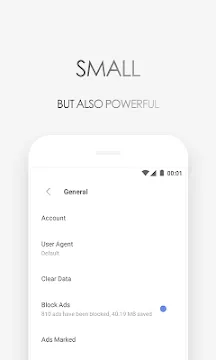
Mobile data can be expensive and limited. This browser includes built-in tools to help you save your bytes. You can toggle images off when you are on a slow connection. It also features a powerful ad-blocker that stops intrusive scripts from loading.
Blocking ads does more than just clean up the screen. It significantly reduces the amount of data transferred during a session. Furthermore, the “Lite” mode ensures that only the necessary elements of a webpage reach your screen. This efficiency makes Via Browser a reliable companion for travelers or those in areas with poor network coverage.
Customization Options Within Via Browser
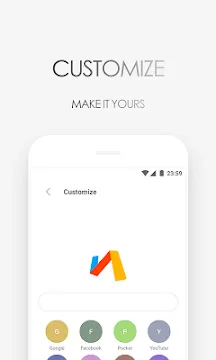
Many people assume that small apps lack personality. However, this tool offers deep customization. You can change the look of the homepage with your own logos and wallpapers. It allows you to move the address bar to the bottom for easier one-handed use.
The settings menu provides control over privacy and scripts. You can choose how the browser identifies itself to websites. This flexibility ensures that you can tailor the experience to fit your specific needs. Whether you prefer a dark theme or a specific font size, you can adjust it easily.
Security Features of Via Browser
Privacy is a major concern for everyone online. This app includes an incognito mode that does not track your history or cookies. It also gives you the option to clear your data automatically when you exit the app. This ensures that your private browsing stays private.
The browser does not request unnecessary permissions. It stays away from your contacts or location unless a specific website requires it for a function. By minimizing data collection, it provides a safer environment for your daily internet tasks. You can browse the web with peace of mind.
Advanced Tools for Power Users
Do not let the small size fool you. This app includes features that even advanced users will appreciate. It has a built-in “Resource Sniffer” that helps you find and download files from web pages. You can also view the source code of any site directly on your phone.
- Night Mode: Protects your eyes during late-night reading.
- Desktop Mode: Requests the full version of websites.
- Page Translator: Breaks down language barriers instantly.
- Full Screen: Maximizes the viewing area for videos or articles.
These tools are tucked away in a neat menu. They stay out of sight until you actually need them. This balance of power and simplicity is rare in the mobile world.
Conclusion
Via Browser proves that bigger is not always better. It offers a fast, clean, and highly customizable way to explore the internet. By removing the bloat, it restores the focus to what matters most: the content you want to read. It works smoothly on almost any device and saves your battery life. If you are tired of browsers that feel like heavy operating systems, give this one a try. You will enjoy a faster web experience that puts you in control of your data and privacy.